


SHAREit Lite - Fast File Share
4.42.53K Reviews
App Specs
- Version
- 3.8.88_ww
- Updated On
- License
- Free
- Downloads
- 100,000,000+
- Developer
- Smart Media4U Technology Pte.Ltd.
- Categories
- Productivity
- Platform
- Android
Screenshots
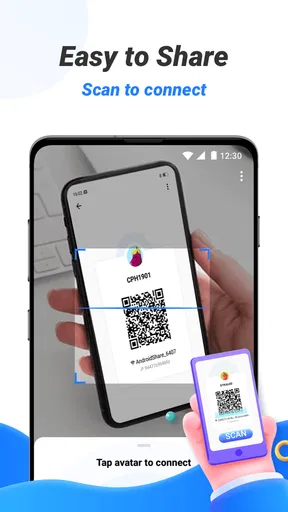
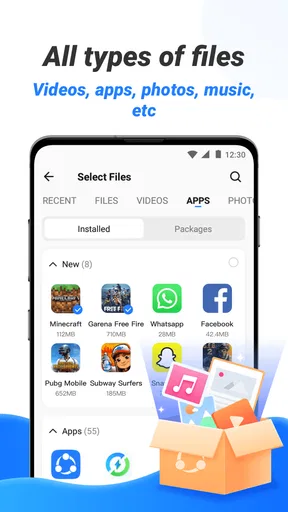
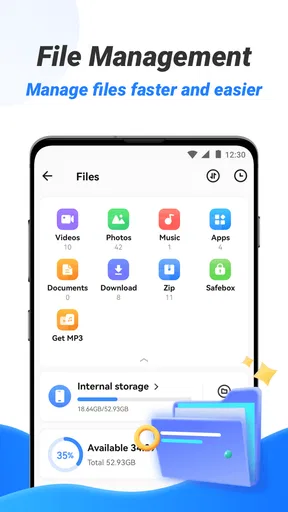
 Analysis by AppCompare
When I choose an offline file-sharing app, I care less about grand speed claims and more about a few practical questions: can both people get connected, will it handle the files I actually need to move, and is the setup less awkward than using a cable or cloud storage? SHAREit Lite is aimed at the simple, immediate job of passing files between nearby devices. It is free, and its focus is useful when a mobile connection is weak, unavailable, or simply not worth using for a local transfer.
I would think of it as a handy transfer tool rather than a complete file manager or backup service. It can make a one-off handoff easier, but it does not replace every way of moving files. The right choice depends on whether the other person has a compatible way to connect and whether you want a quick local transfer or a copy you can retrieve from anywhere later.
Start with the situation, not the speed claim
Before installing it, I’d ask what I am trying to send and who is receiving it. A batch of photos for a friend nearby is a natural fit; a document that needs to be shared with a group who are in different places is not. Offline sharing is most useful when both devices are physically close and both people can spend a moment opening the app and joining the transfer.
That distinction also helps set expectations. A direct transfer avoids spending mobile data on uploading and downloading the same file, but it still depends on the devices being able to establish a connection. I would not treat “offline” as meaning that every transfer works automatically in every environment. If the connection does not come together promptly, trying again or switching to a familiar alternative may be quicker than troubleshooting while someone waits.
A practical handoff between phones
Picture a friend asking for a folder of pictures after a day out. You are standing together, neither of you wants to upload the files, and the photos are too numerous to send one by one through a chat. This is the sort of moment where a local transfer app earns its place: open the sharing flow, select the files, have the other person join, and keep the devices close until the transfer finishes.
A small habit makes that workflow less error-prone: check the selection before you send. When sharing a large batch, it is easy to include an unrelated screenshot or miss the one image the other person wanted. I’d also wait for the completion indicator before closing either app. Those are simple steps, but they prevent the common annoyance of assuming a transfer is done when one phone is still working.
Where SHAREit Lite fits in the wider toolkit
For local transfers, SHAREit Lite is more convenient than hunting for a cable, especially when the two phones use different operating systems. It can also be a better fit than email or messaging when the files are numerous or when you would rather not route them through an online service. Smart Media4U Technology Pte.Ltd. develops the app, which sits in the productivity space despite its focused, practical purpose.
Worth Reading Before You Choose

Flipboard Shows What News Apps Must Do Beyond the Feed

Switching to Android Auto Means Rethinking Your Driving Routine

Google Calendar Makes a Crowded Week Easier to Manage

Ludo King Makes the Most of the Minutes Between Plans

Baby Panda World Brings Quick Play to Modern Phones, but Its Game Library Feels Busy

ESPN’s Live Game View Makes Following Close Games Easier
Cloud storage solves a different problem. It is more suitable when the recipient is not nearby, when several people need ongoing access, or when you want a copy available on your own devices later. A built-in sharing option or cable may be the easier choice for a single small item if it is already set up and familiar. I would choose based on the job, not assume one tool should replace the rest.
Small checks that make sharing smoother
One useful way to avoid frustration is to agree on the transfer before selecting files: confirm which device is sending, what the recipient expects, and whether you are sharing originals or just a few items for quick viewing. This is especially worthwhile with mixed folders, where names and thumbnails can be hard to distinguish on a phone screen. Sending a small test file first can also reveal a connection problem before you commit to a lengthy batch.
For private material, I would be deliberate about the recipient and the files selected rather than treating any transfer app as a substitute for good judgement. A direct, offline workflow can keep a handoff local instead of relying on cloud storage, but that alone does not tell you everything about the app’s broader privacy practices. Share only what you mean to share, and use a different method if your situation calls for controls or records the app is not designed to provide.
Who should look elsewhere
If you regularly send files to people who are not nearby, a cloud link or another online sharing method is usually more practical. The recipient can access it later without arranging a face-to-face handoff. Likewise, people who need a carefully managed archive, automatic backups, or a dependable workflow across a team should look for tools built around those needs rather than expecting a lightweight phone-to-phone app to do everything.
There is also a social cost to installing a transfer app for a single exchange: the other person may need to find and use a compatible app, and that can take longer than choosing a method already on both phones. I would suggest it to friends or family who share files locally more than once in a while, but for an occasional one-photo handoff I would first try the simplest option both people already know.
Easy Peasy Setup
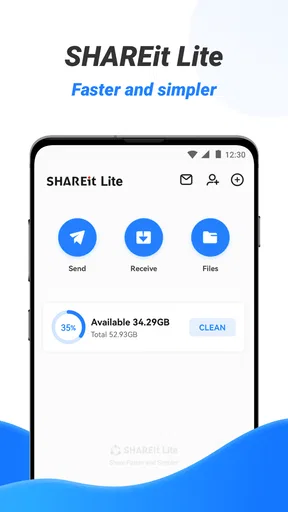
Right off the bat, SHAREit Lite is super easy to get started with. No need to jump through hoops or fill out endless forms to get going. Just download the app, and boom, you're ready to share files. It's designed to be lightweight, so it doesn't hog your phone's memory, which is a massive plus if you're working with limited storage.
The interface is pretty straightforward. Even if you're not tech-savvy, you'll find your way around in no time. Just tap a few buttons, and your files are ready to be zapped over to another device. No cables, no internet, just pure, seamless sharing. And trust me, it’s fast.
Speed That Impresses
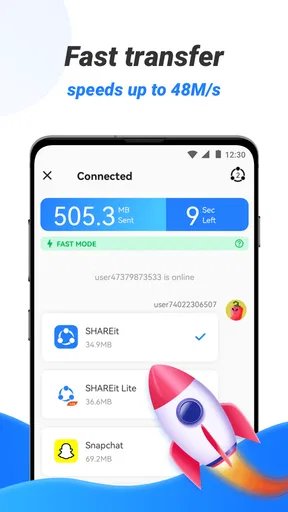
One of the standout features of SHAREit Lite is its speed. We're talking speeds that are 200 times faster than Bluetooth. That's not just marketing fluff—it genuinely feels like it. Whether you're sending photos, videos, or even larger files, the transfer is done in a flash. I tried sending a full album of high-resolution photos, and it was all done before I could even blink. Well, maybe not that fast, but you get the gist.
What’s cool is that it doesn’t compromise on quality. Your files arrive intact and uncompressed, just as you sent them. For someone who hates waiting, this app is a godsend. No more twiddling your thumbs while you wait for files to send.
Cross-Platform Magic
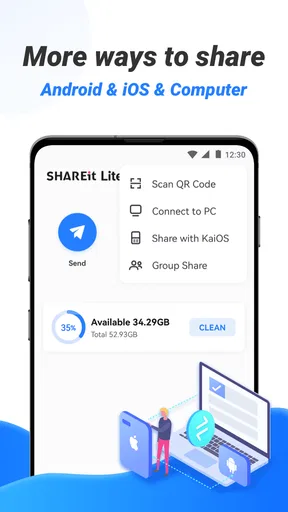
Here's where it gets even better—cross-platform compatibility. You can share files between Android and iOS devices without batting an eyelid. It’s like the app bridges the gap between different tech worlds, making it a must-have for anyone juggling multiple devices. No more compatibility headaches or struggling with different operating systems.
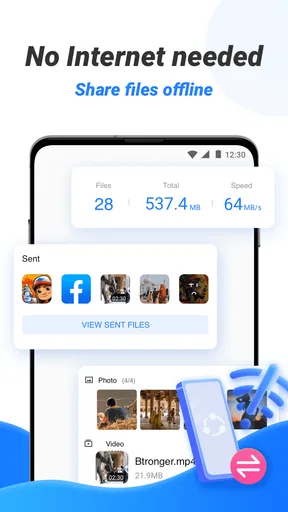
Plus, since it doesn’t rely on an internet connection, you can share files anywhere, anytime. Whether you’re on a road trip with no signal or in a crowded café, SHAREit Lite has your back.
No More Data Drain
Data consumption is a big concern for many users, especially if you're on a limited plan. The app doesn’t use your data for sharing, which means you can send as many files as you want without worrying about burning through your monthly allowance. It’s like having your cake and eating it too. Share all you want without the guilt!
Safety First
Now, let’s talk security. In this digital age, it’s crucial to keep your information safe. SHAREit Lite ensures your files are shared securely, with no data leaks. It creates a direct connection between devices, meaning your files don’t get uploaded to the cloud or any third-party servers. Peace of mind, guaranteed.
Wrapping It Up
So, is SHAREit Lite worth it? Absolutely. It’s a powerful little app that packs a punch with its speed, ease of use, and robust security features. Whether you’re a tech enthusiast or just someone who needs a reliable way to share files, this app is a fantastic addition to your digital toolkit.
Ready to experience hassle-free file sharing? Download SHAREit Lite today and say goodbye to the old, clunky methods. Trust me; once you try it, you'll wonder how you ever lived without it.
A sensible choice for the right kind of transfer
The app has a broad audience: it has a 4.4 average from around 678,000 ratings, and has passed 100 million installs. It launched on August 7, 2019, and the current version is 3.8.88_ww. It is rated for Everyone, with Android 4.2 as its minimum operating system requirement. Those details make it an approachable option for many Android owners, though the recipient’s device and willingness to join the transfer still matter more than popularity.
For me, the most useful feature is not a headline speed figure but the way a local handoff can avoid a chain of workarounds. If I am helping a relative move a set of pictures to another phone, I can keep the task focused on the two devices instead of explaining how to upload a folder, create a link, and download it again. That convenience is strongest for nearby people who expect to share files repeatedly.
What to expect before making it your default
Will it work without mobile data? Local sharing is intended to avoid using an internet connection for the transfer, which is helpful on a trip or in a place with poor coverage. I would still check that both phones can connect to each other before choosing it for a time-sensitive handoff. If a recipient is not present, or cannot use the app, an online link or a method already built into both devices is the more sensible route.
Does offline mean there is no setup at all? Not quite: both people need to participate in the handoff, and the sender needs to choose the right items. I would keep the app open until the transfer finishes and verify the files on the receiving phone before deleting or moving the originals. That last check is particularly useful for work documents or photos you cannot easily recreate.
Does it replace cloud backup? No. A local transfer is a way to pass files between devices, not a substitute for keeping a second copy somewhere you can reach later. If I am moving important material, I would treat the transfer and the backup as separate tasks. This distinction prevents a common mistake: assuming that successfully sending something to another phone means it is safely archived.
Making the switch without unnecessary hassle
Because the app is free, trying it for a real transfer does not require a purchase. Still, installing it only makes sense if the people you share with can use the same workflow. I would test it with a few nonessential photos first, learn how the receiving phone joins, and then use it for a larger batch. This is a low-risk way to find out whether it fits your devices and habits before relying on it when you are in a hurry.
Its lightweight design is appealing if storage is tight, but “Lite” should not be read as a promise that every phone will behave identically or that every sharing situation will be effortless. The experience can depend on the devices and the surroundings, so I would keep a fallback in mind for an urgent transfer. A cable, built-in phone sharing, messaging, or cloud storage may be less trouble when already available and understood by both people.
My recommendation
I would recommend SHAREit Lite to people who often pass photos, videos, or other files to someone standing nearby, especially when they want to avoid mobile-data use and do not want to rely on a cable. It is also appealing for households with a mix of Android and iOS devices, where transferring a batch can otherwise turn into a small compatibility puzzle. Its free price and Everyone content rating make it easy to consider, while its productivity focus keeps the purpose clear.
I would skip it as a default if most of my sharing happens remotely, if the recipient cannot install or operate another app, or if I need an organized archive with ongoing access. In those cases, a cloud service or a built-in option may be a better match. For nearby, occasional-to-regular handoffs, though, it is a practical tool to have ready. The key is to use it for the job it handles well: moving selected files between people and devices that are together.
Pros
- Fast file transfer speeds.
- No internet needed for sharing.
- Simple and user-friendly interface.
- Supports multiple file types.
- Lightweight
- saves storage space.
Cons
- Contains in-app ads.
- Requires location permission.
- Limited features compared to full version.
- Occasional connectivity issues.
- No built-in media player.
FAQs for SHAREit Lite - Fast File Share
What is SHAREit Lite and how does it differ from the regular SHAREit app?
SHAREit Lite is a streamlined version of the popular SHAREit app, designed for users who prefer a lightweight application for file sharing. It maintains essential features like fast file transfer between devices but uses less storage space and resources, making it ideal for devices with limited capacity or older hardware.
How fast is file transfer using SHAREit Lite?
SHAREit Lite offers impressive file transfer speeds, up to 20MB/s, which is significantly faster than traditional Bluetooth methods. This speed ensures that even large files, such as videos or high-resolution images, can be shared quickly and efficiently between devices without requiring an internet connection.
Is SHAREit Lite safe to use for transferring sensitive files?
Yes, SHAREit Lite is designed with user security in mind. The app uses direct, offline transfer methods, which reduces the risk of data interception. However, users should still exercise caution and avoid sharing sensitive information in insecure environments or with unknown parties.
What file types can be shared using SHAREit Lite?
SHAREit Lite supports a wide range of file types, including photos, videos, music, documents, and apps. This versatility makes it a convenient tool for users who need to transfer a variety of content between devices, whether for personal or professional purposes.
Does SHAREit Lite require an internet connection to function?
No, SHAREit Lite does not require an internet connection for file transfers. It creates a direct Wi-Fi connection between devices, allowing users to share files without relying on mobile data or Wi-Fi networks, which is especially useful in areas with limited connectivity.


